Helpful Website + MemberCompass FAQ
MemberCompass FAQ
Questions about registering, invoices, attendance, passwords, or updating your information? Use the quick topics below to jump to what you need.
MemberCompass is your personal dashboard within the Associations North website. You will also see custom items based on your involvement and engagement.
Inside MemberCompass, you can:
- Register for events
- View and pay invoices
- Track event registrations and attendance
- Update your personal profile
- Access member tools and resources
Think of it as your home base for navigating everything Associations North has to offer.
Start with your Profile. Keeping your information current helps you receive the right communications and stay connected to the community.
Then explore:
- My Events to see upcoming registrations
- Pay Balance or Account History for invoices and receipts
- SPARK to connect with peers
You can view all upcoming events and education through the Calendar of Events. You may also register via your MemberCompass.
- Log in to MemberCompass.
- Go to My Events or select an event from the website calendar.
- Choose the event you want to attend.
- Click Register and complete checkout.
You should receive a confirmation email once your registration is complete.
Check My Events inside MemberCompass.
If you do not see the event listed and did not receive a confirmation email, your registration likely was not completed.
Your registration is not complete until checkout is finished.
If you stepped away before completing payment, you can return and finish registration as long as space is still available.
Go to Pay Balance or Account History in MemberCompass
There you can:
- View open invoices
- Pay balances online
- See past payments
- Download receipts
- Log in to MemberCompass
- Click Profile.
- Update your contact information, title, or other details.
- Save your changes.
If you are the primary contact or have management access for your organization, you can manage company details directly in MemberCompass. An update to the company name must be done through Associations North, contact us to make this change.
- Click Company.
- Review and update your organization information.
- Save your changes.
Only the primary contact or those with Management Access for an organization can edit company details and manage the people connected to that company record.
If you do not see the Company or People options, you likely do not have permission to edit those areas. Need management access? Contact us.
You must be the primary contact or have been given management access. If you need to request management access, contact Associations North.
Log into your MemberCompass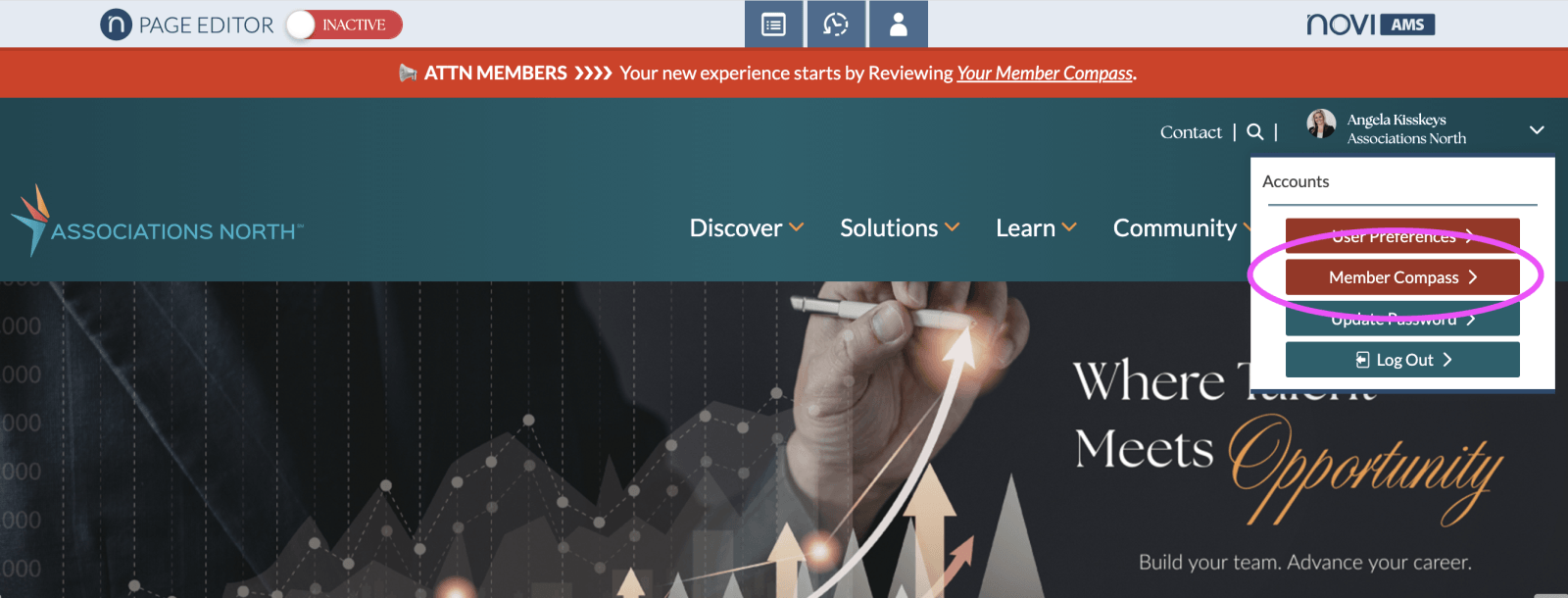
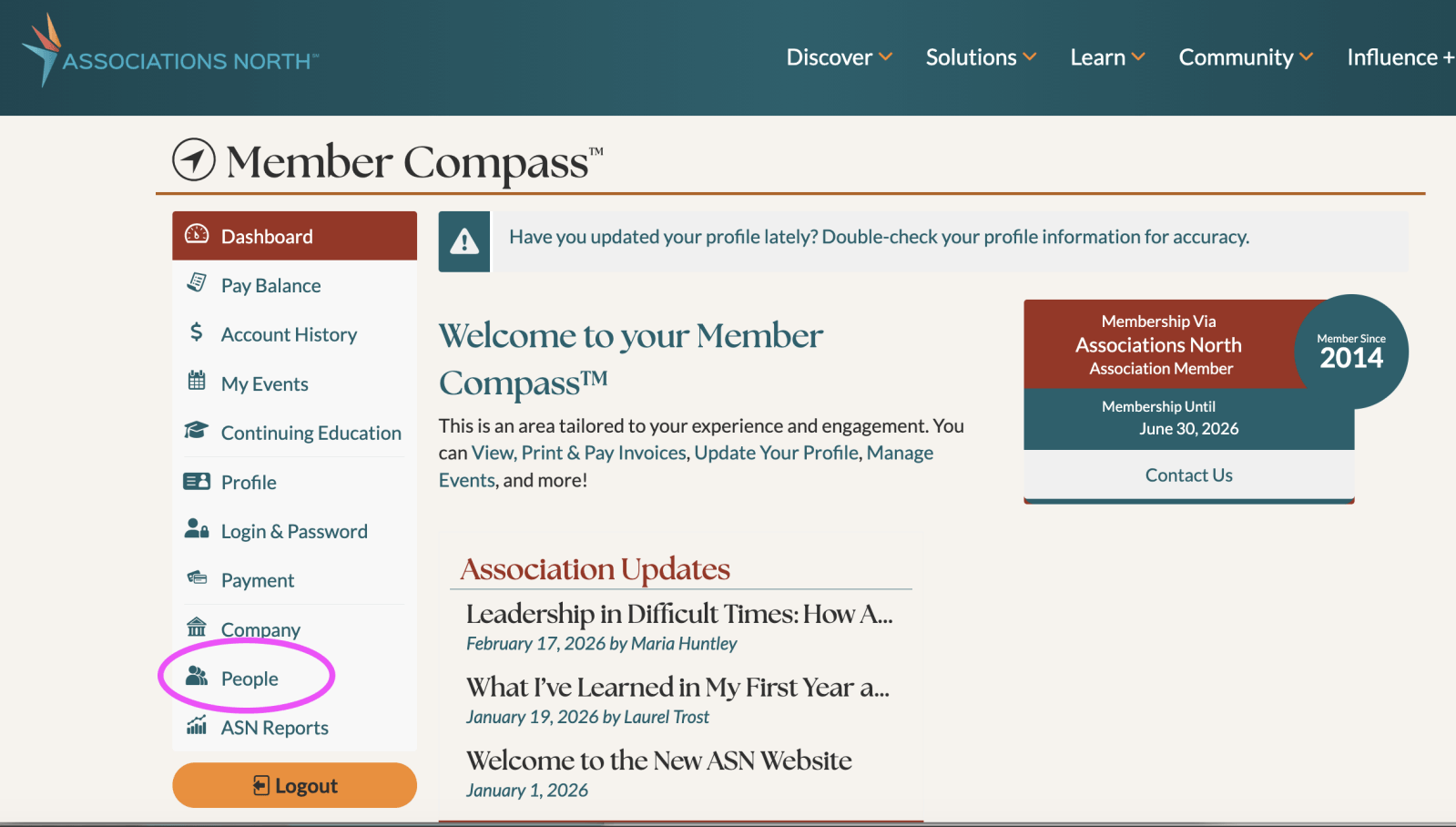
Click People on the left side
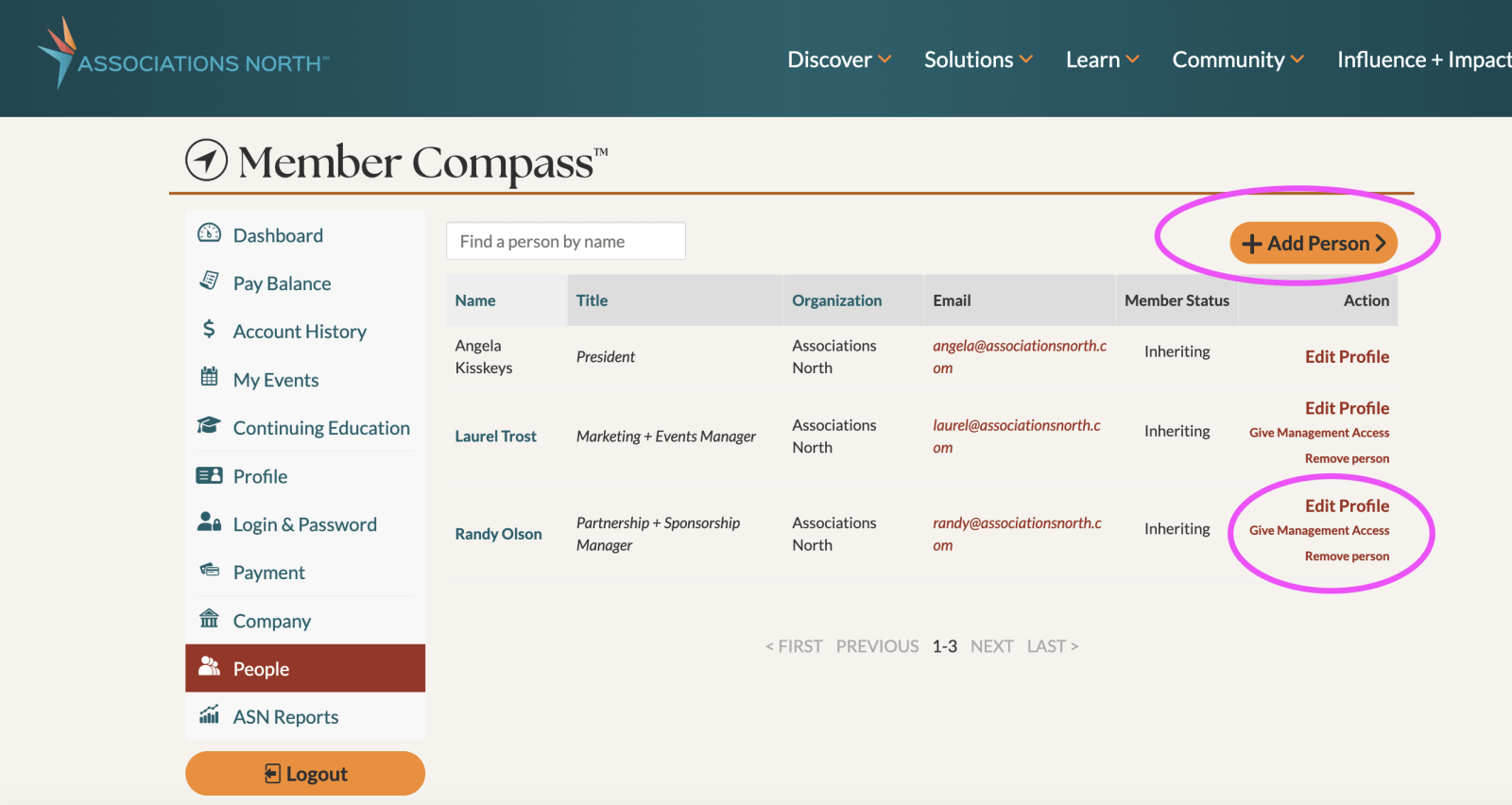
Add, Remove or Edit individuals associated with your organization.
Yes. Visit My Events or Continuing Education in MemberCompass to review your event participation and attendance history.
Use the Forgot Password link on the login page or visit Login & Password inside MemberCompass
If something doesn’t look right or you need help navigating MemberCompass, the Associations North team is happy to help. Contact us.